
bexio error: "VAT account must be debit or credit"
Table of Contents
If you see the error message “VAT account must be either debit or credit” when importing your entries into bexio, the cause is usually the mapping of the VAT account. The good news: you can fix the issue in just a few clicks.
Error message
“VAT account must be either debit or credit”
Explanation
In the VAT account column, you enter the account that should be used to post the VAT.
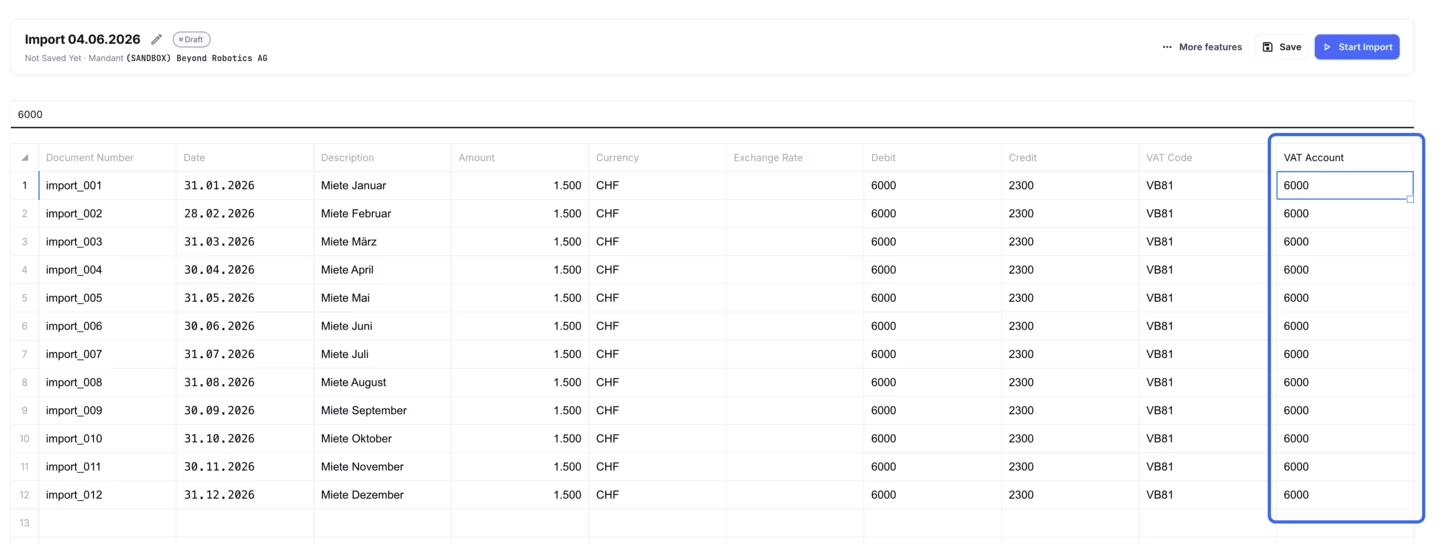
In the example shown, the VAT is handled through account 6000. This exact account must match the posting logic so that bexio can process the entry correctly.
Relation to bexio
The selection works in the same way as in the manual entry screen in bexio when bexio asks for the assignment account.
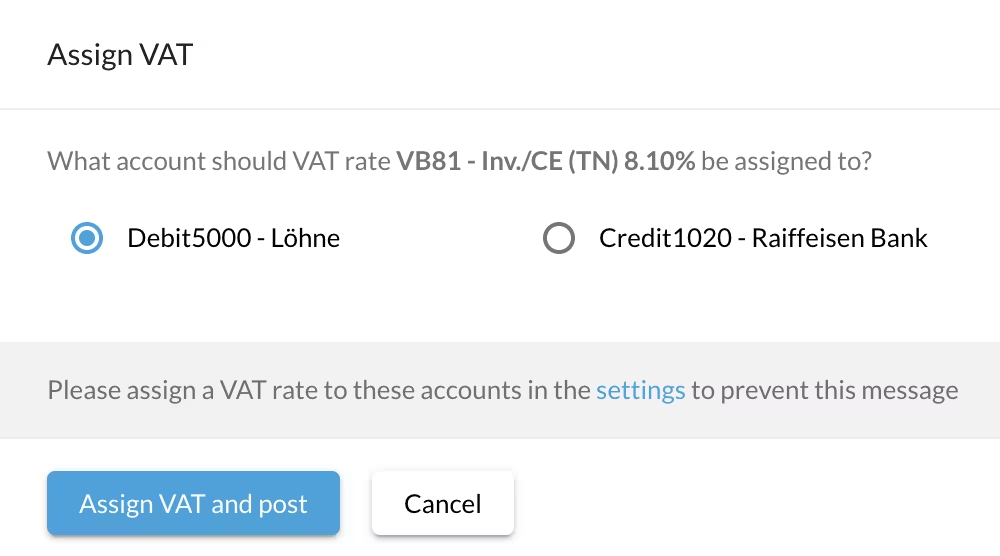
If you see this error message, first check the VAT account column and compare the selection with the assignment account in bexio.
Remember: The VAT account in Importly should be set the same way you would choose it for a manual entry directly in bexio.