
Import bookings into bexio – in minutes instead of hours
Transfer booking lists from Excel, CSV or bank exports directly into bexio with copy & paste. Validation, exchange rates and error correction included – without any IT setup.
How it works
Prepare your table
Prepare your booking list in Excel or as CSV so that the required columns are cleanly structured and complete.
Copy and paste
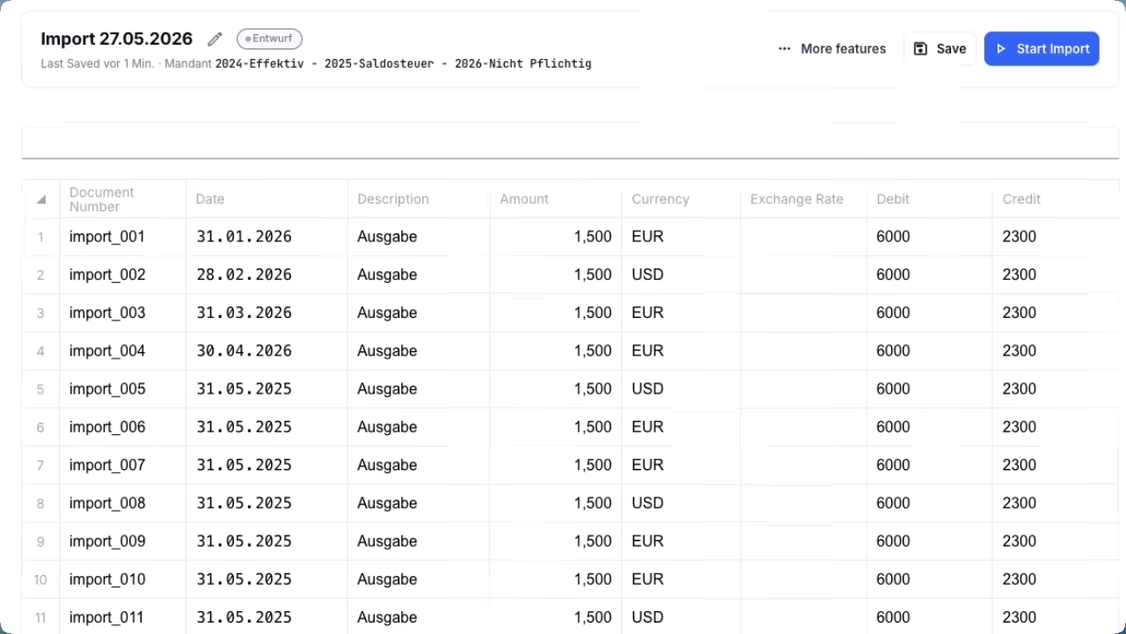
Transfer the data directly into the Importly sheet using copy & paste, without having to create complex import files first.
Import
Before the import, your data is validated by our system. If no issues are detected, the bookings are transferred to bexio automatically and reliably.
Add exchange rates automatically
Official monthly rates from the Swiss Federal Tax Administration (FTA) are filled in automatically – VAT-compliant and without manual research.
Validate with a full pre-import check
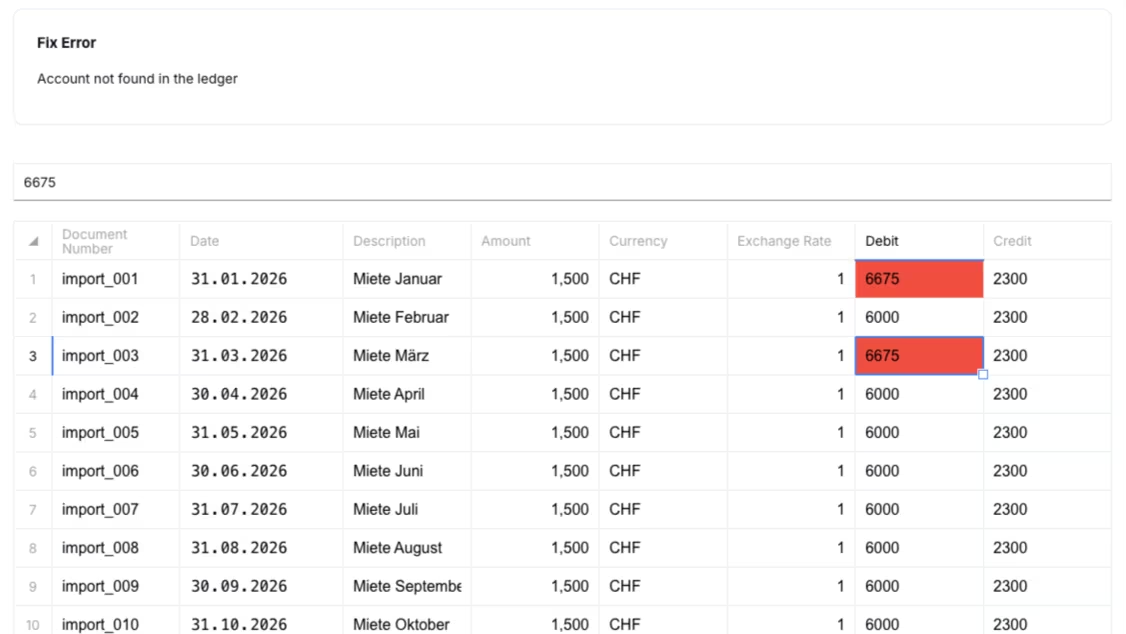
Red cells mark errors directly in the sheet. Accounts, document numbers, currencies and amounts are checked against your bexio data before import. Adjust, re-validate, import – without switching between tools.
Import bookings from a file
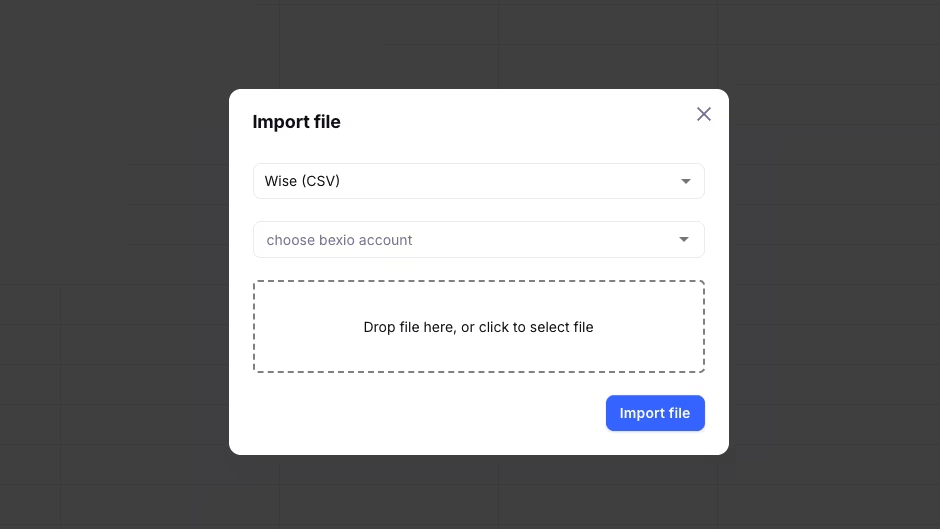
CSV and Excel files can be pasted directly into the Importly sheet using copy & paste and then imported into bexio.
… and much more.
Register nowFrequently asked questions
Which file formats can be uploaded? +
You can paste bookings from Excel and CSV directly into the Importly sheet. You will also find a ready-made template in our blog post on the booking import template. CSV exports from Wise, PostFinance, Revolut and UBS are additionally supported as structured sources. We add further formats on request.
Is Importly compatible with my bexio subscription? +
Importly works with bexio subscriptions that include API access. The connection is established through the official bexio interface via OAuth – without password sharing.
How long does onboarding take? +
Most users complete their first import within 15 minutes. No installation and no IT support required – connect your bexio account, paste your data, import.
Can I involve my fiduciary or my team? +
Yes. Several users can work together on client mandates. Credits are billed per account.
What happens if there are errors in the data? +
Importly validates every booking before import and marks errors directly in the sheet. You correct the affected cells, re-validate and import – data is only transferred to bexio once everything is clean.
How much does Importly cost? +
Importly is billed on a credit basis – you only pay for what you use. There is no subscription and no recurring fees. You can find the available packages on the pricing page.
Is there a free trial? +
Yes. Every new account receives 20 free credits – no credit card and no time limit.
Ready to import your bookings in minutes?
20 free credits. No credit card. No installation.