
Import invoices into bexio instead of entering them by hand
Import sales invoices from Excel, CSV or other spreadsheet formats into bexio, create missing contacts automatically, and keep open items, bank reconciliation and bookkeeping clean in bexio.
How it works
Connect bexio and create an import table
Sign up at app.importly.ch, connect your bexio account, and create a new table for the import in the «Import invoices» module.
Copy your invoices into the table and check them
Transfer your invoice data into the prepared table, match contacts correctly, and review samples as well as mandatory fields before you start.
Start the import
Start the import directly from Importly. You can also save the table and continue editing or import it later.
Match contacts automatically or create them
Matching is based primarily on the bexio contact number. Alternatively, Importly can recognise existing contacts from their contact details or create new contacts when at least the contact type and Name_1 are set.
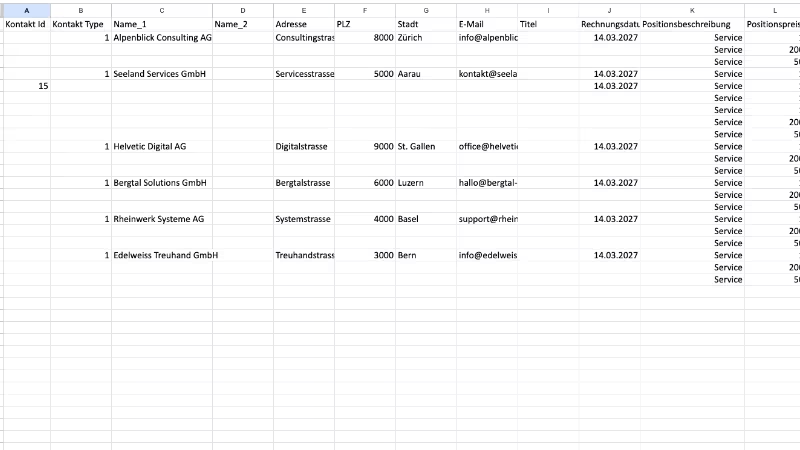
Import invoices with one or several line items
Every completed main row creates a new sales invoice. For additional line items, leave the cells from Contact no. through Date empty – Importly then appends the following items to the parent invoice.
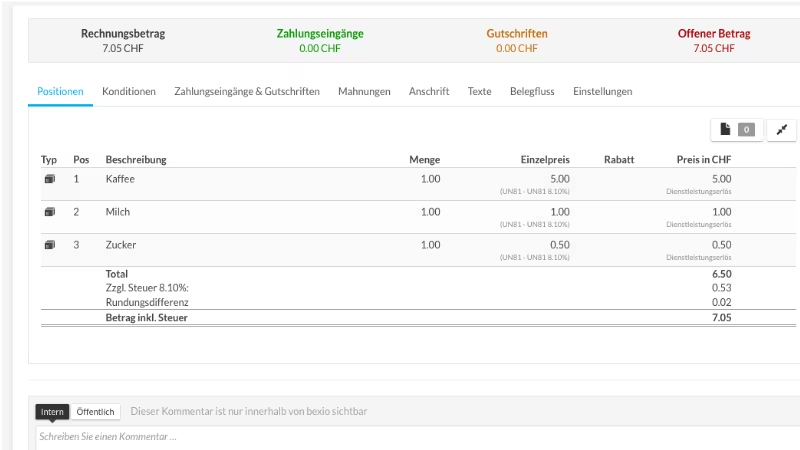
Check mandatory fields before import
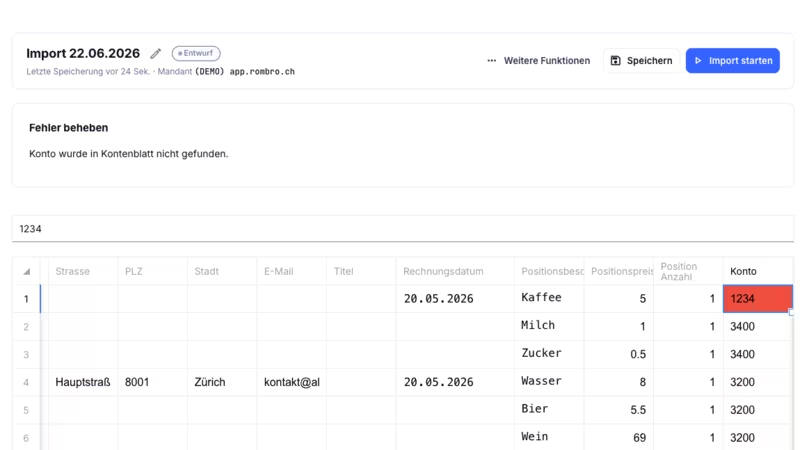
Mandatory fields such as date, description, unit price, quantity, account and tax rate must be filled in correctly. For QR payment slips with «Payable by», the contact's country should also be imported.
… and much more.
Register nowFrequently asked questions
What happens if a contact does not yet exist in bexio? +
Importly can create the contact automatically if no bexio contact number is present and at least the contact type and Name_1 fields are set.
Are existing contacts updated during import? +
No. Existing contacts are not updated. If key contact fields match an existing contact, no duplicate contact is created.
Is the VAT code required even without VAT liability? +
Yes. The tax rate is a mandatory field. If you are not liable for VAT, use the VAT code UEX during import.
Is there a limit per import table? +
Yes. A maximum of 200 invoices can be created per table.
Why should I import the contact's country? +
So that the «Payable by» section appears on the QR payment slip, the contact's country should also be provided during import.
Is Importly compatible with my bexio subscription? +
Importly works with bexio subscriptions that include API access. The connection is established through the official bexio interface via OAuth – without password sharing.
How long does onboarding take? +
Most users complete their first invoice import within 15 minutes. No installation and no IT support required – connect your bexio account, paste your data, import.
Can I involve my fiduciary or my team? +
Yes. Several users can work together on client mandates. Credits are billed per account.
How much does Importly cost? +
Importly is billed on a credit basis – you only pay for what you use. There is no subscription and no recurring fees. You can find the available packages on the pricing page.
Is there a free trial? +
Yes. Every new account receives 20 free credits – no credit card and no time limit.
Ready to import your invoices in minutes?
20 free credits. No credit card. No installation.